Phone app and push alerts
Install PatternXRadar on your phone's home screen like an app, and get signal and crash alerts with sound - even when the app is closed. A tap opens the coin.
PatternXRadar works as an app on your phone - no app store needed.
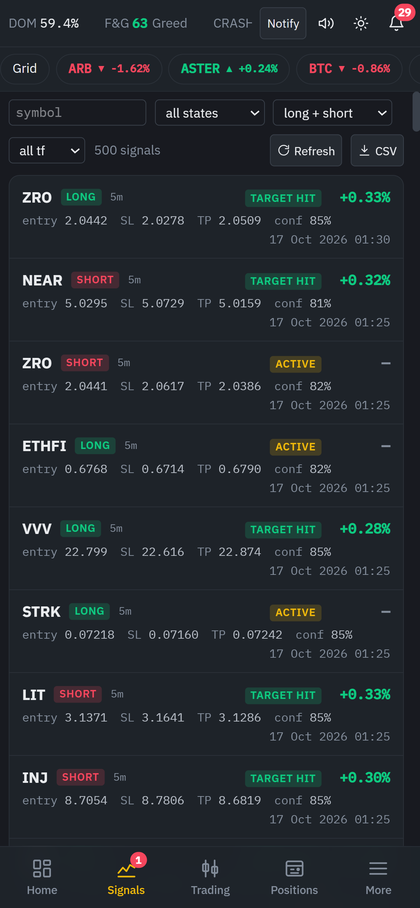
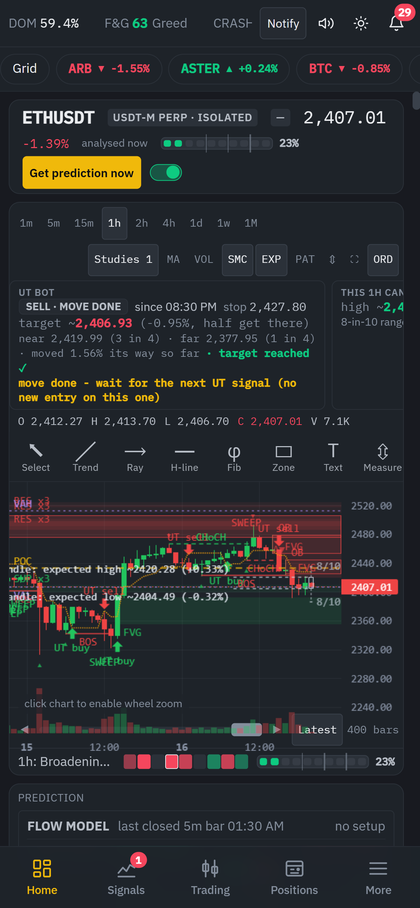
Install it on the home screen
- Open patternxradar.com/app in Chrome (Android) or Safari (iPhone) and log in.
- Android: menu ⋮ → Add to Home screen / Install app. iPhone: Share → Add to Home Screen.
- Open it from the new icon: it starts full screen with the bottom tab bar - Home, Signals, Trading, Positions, More.
On the phone the pairs are one row of chips you swipe, tables turn into compact cards, and the chart's info cards are swipeable so the chart stays on top.
Turn on push alerts
- Open Settings → Alerts and tap Enable phone / browser push + send a test.
- Allow notifications when the browser asks.
- A "BTC LONG (test)" notification arrives. Tap it - the app opens on BTCUSDT.
From then on these reach your phone even when the app is closed: LONG / SHORT signals on your coins, crash warnings, position guard alerts and trade proposals. Each shows the coin and the side (for example "ETH SHORT"); a tap opens that coin's page. Routine trade updates do not buzz your phone.
While the app is open on screen, a new signal slides in a small card on the right with a sound and a short vibration instead.
No sound?
Browsers allow sound only after you have touched the page once. If a card says "🔇 click page for sound", tap anywhere once - sounds play from then on. Check that your phone is not on silent and that the speaker icon in the top bar is not muted.
Notes
- Push works on the secure site address (https). It does not work from a plain http address.
- You can enable push on several devices; each gets the alerts.
- To stop alerts on a device, block notifications for the site in that browser's settings.